Overview
What it does
Homepass Installation Tracking gives every project a Block → Level → Unit structure and lets teams log a complete house in a single tap-through, with safeguards that stop the same unit being counted twice.
Features
Key features
- Scope-based tracking per Block → Level → Unit
- One-tap full-house installation entry
- Duplicate-entry protection
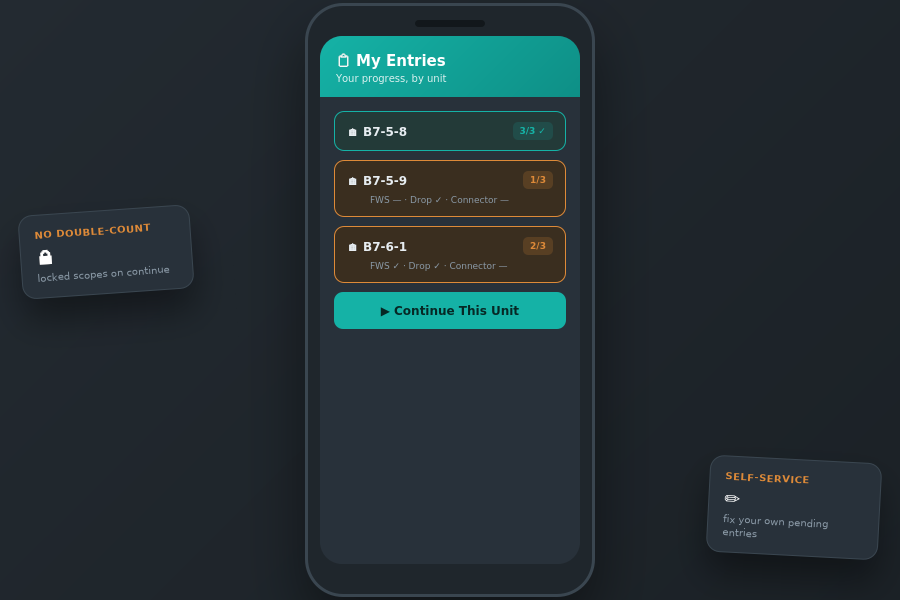
- 'My Entries' progress dashboard for teams
- Locked-scope safeguard against double-counting
Benefits
- Accurate house counts, no double-logging
- Teams see and continue their own progress
- Clear structure from block down to unit
How it works
From input to outcome
Step 1
The project scope is organised into blocks, levels and units.
Step 2
A team logs an installed unit in one screen with its scope items.
Step 3
Duplicate and locked-scope checks keep the totals clean.
Use case
A subcontractor logs a full house install in one screen; the system blocks a second team from logging the same unit, so progress totals stay accurate.