Overview
What it does
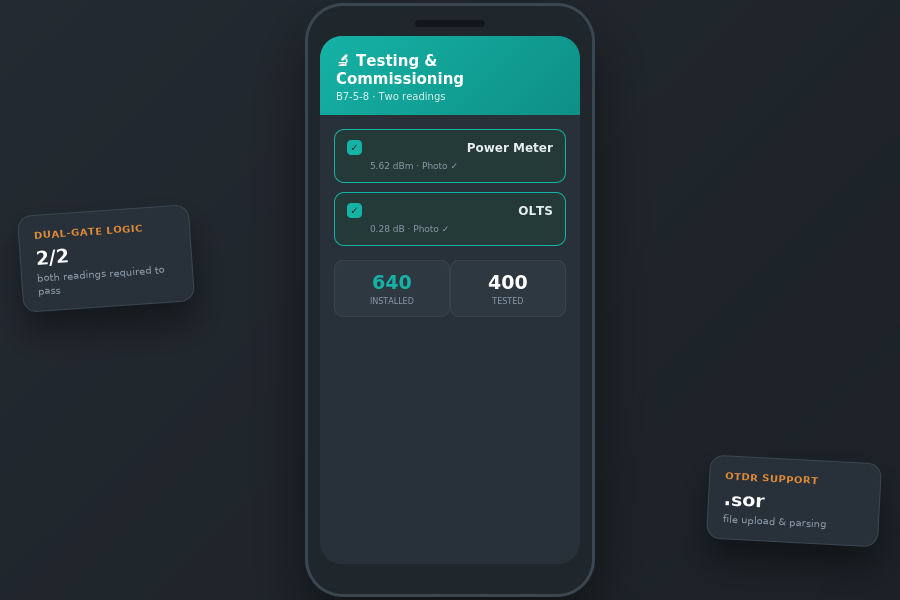
Testing & Commissioning captures per-house fiber test evidence — Power Meter dBm and OLTS loss — and marks a unit Tested only when both readings exist, with OTDR trace upload for full proof.
Features
Key features
- Power Meter testing — per-house dBm with photos
- OLTS testing — per-house loss readings
- Dual-reading logic — 'Tested' only when both recorded
- OTDR .sor file upload and parsing
Benefits
- Commissioning status you can trust
- Every reading backed by evidence
- OTDR traces stored with the unit
How it works
From input to outcome
Step 1
The technician records the Power Meter reading with a photo.
Step 2
They record the OLTS loss reading for the same unit.
Step 3
The unit flips to Tested once both readings are captured.
Use case
A technician records Power Meter and OLTS readings per house with photos; the unit only turns 'Tested' once both are in, so commissioning status is never overstated.